
Visual Creation
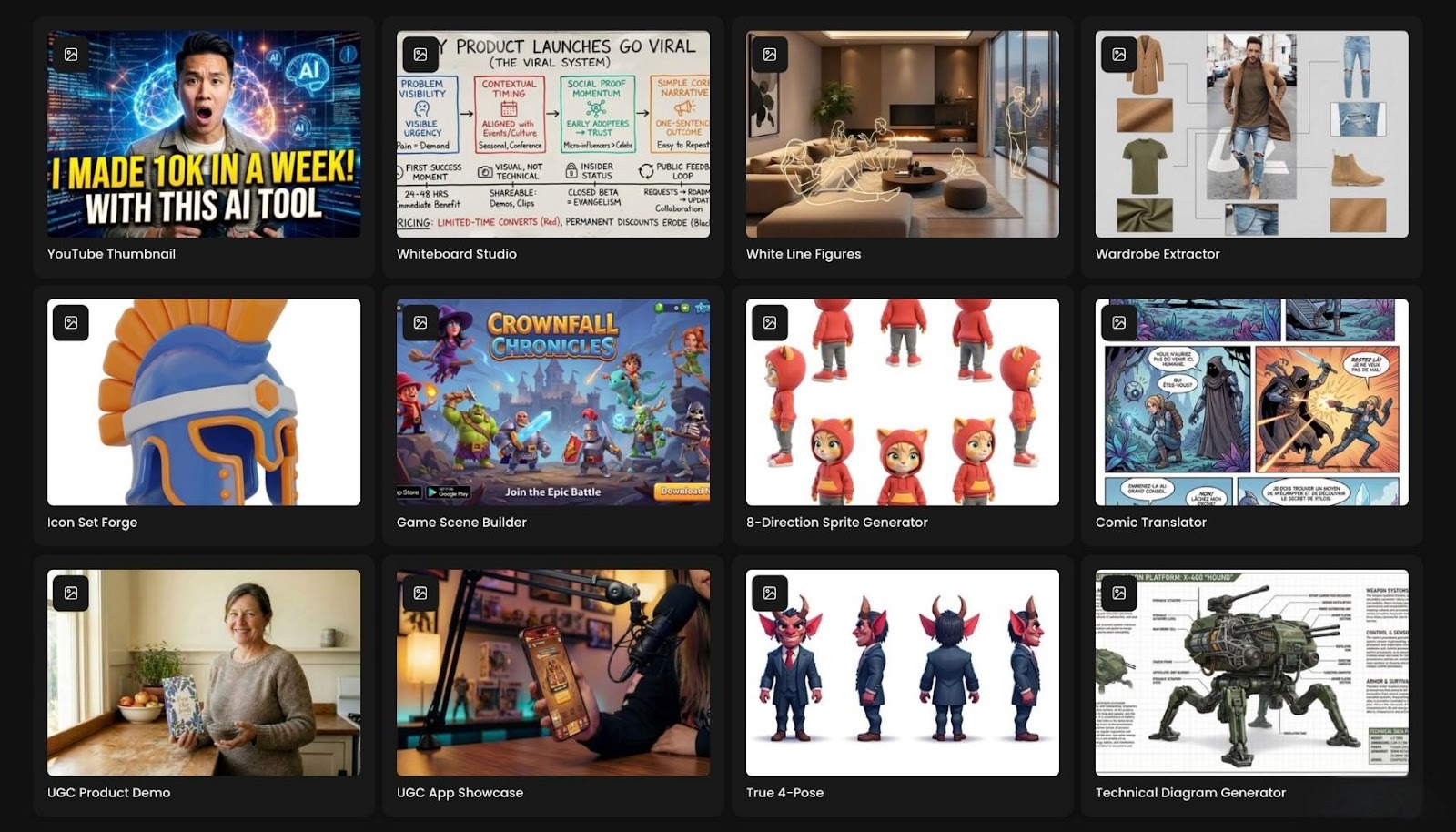
Scenario Apps are focused, purpose-built tools designed to help you move from idea to visual quickly – without long briefs, complex software, or endless back-and-forth. Rather than building full workflows, you simply choose the App that fits your goal, upload a few images, add a short instruction, and let the App take care of the rest.
Below, you’ll find three ways to look at Scenario Apps, depending on your field: gaming, e-commerce, and marketing.
Scenario Apps for Gaming
Character Remix
Live games depend on a steady flow of fresh content. New seasons, events, and battle passes all require characters that feel new while still fitting naturally into the same universe. This is where Character Remix excels.
You begin with a character your team already likes. Upload it into Character Remix, describe the new direction you want to explore, and let the App do the exploration for you. It could be a winter festival variant, a sci-fi armor upgrade, or a fiery elemental skin. The App generates four variations that preserve the original pose and silhouette while experimenting with outfits, colors, and materials.
Because the character’s identity remains consistent, these results are more than rough concepts. They are strong candidates for real skins and event visuals. Instead of reinventing the character each time, it feels like expanding their wardrobe in a way that stays true to the world you’ve built.
Game Scene Builder
When it’s time to present your game publicly, a common challenge appears. You have gameplay footage and individual assets, but limited time to create polished scenes for store pages, social media, or pitch decks.
Game Scene Builder is designed for exactly this situation. You gather the assets you already have – characters, props, logos, and background elements – upload them, and describe the scene you want. The App then brings everything together into a single, cohesive image.
You might request a tense boss fight in a ruined city or a peaceful campsite beneath glowing trees. The App handles composition, depth, and atmosphere so the result feels like intentional key art rather than a quick collage. It’s a fast way to turn in-game assets into out-of-game visuals that truly reflect the experience.
Scenario Apps for E-commerce
Logo Placer Pro
Before committing to full photo shoots or physical samples, brands often just need to see how their logo looks on real products. Logo Placer Pro is built for this early decision-making stage.
You upload your product image along with your logo and describe the setting you want. The App applies your logo in a way that respects perspective, lighting, and material. Bottles appear properly printed. Apparel looks screen-printed or embroidered. Packaging feels tangible rather than pasted on.
In minutes, you have realistic mockups suitable for catalogs, landing pages, launch decks, or investor presentations. This makes it easier to decide which designs to test, which products to prioritize, and how a full branded lineup works together visually.
Object Eraser
Even strong product photos can be undermined by small distractions—price stickers, stray cables, reflections, or cluttered backgrounds. Cleaning these up manually can quickly become time-consuming.
With Object Eraser, you upload the image, describe what should be removed, and let the App handle the cleanup. You might ask it to erase a tag from a shoe, remove a spill on a table, or delete an unwanted object behind your product. The App removes the distraction and naturally fills the space, as if it was never there.
The result is a cleaner, more focused image that’s ready for storefronts, ads, or social media – without reshoots or hours of retouching.
Scenario Apps for Marketing
Studio Portrait Maker
Audiences connect more easily with brands when they see the people behind them. The challenge is that coordinating professional photo shoots for entire teams is often expensive and impractical.
Studio Portrait Maker solves this by working with photos your team already has. These can be casual phone pictures or simple office shots. Once uploaded, the App turns them into polished portraits with balanced lighting and clean, studio-style backgrounds.
The result is a consistent set of headshots that look like they were taken in the same place at the same time, even if your team is spread across the world. They’re ready for websites, press kits, LinkedIn profiles, and presentations – no studio booking required.
Virtual Try On
For fashion, lifestyle, or character-driven brands, showing every outfit on a real model can be slow and costly. Virtual Try On offers a more flexible alternative.
You upload a model or character along with the clothing items you want to feature. The App dresses the model in those pieces and lets you choose the setting—keeping the original background, switching to a clean studio look, or placing the model into a new environment that fits your campaign.
This makes it easy to create lookbooks, social content, and campaign concepts from a single base shoot. You can tell richer visual stories while significantly reducing production time and cost.
FAQ
Do I need to be a designer to use these Apps?
No. Designers can take the results further or combine multiple Apps, but the core experience is intentionally simple. Upload your images, describe what you want, and generate. If you can write a short creative brief, you can use a Scenario App.
Can I refine results after using an App?
Yes. App outputs are meant to be strong starting points. You can pass them into other Scenario Apps, bring them into your existing editing tools, or integrate them into more advanced workflows. The goal is to skip the blank canvas and begin from something already close to what you need.
How do I know which App to start with?
Start from your end goal. For game updates, Character Remix and Game Scene Builder are a natural fit. Storefront visuals, Logo Placer Pro and Object Eraser work well together. For brand updates, Studio Portrait Maker and Virtual Try On are good entry points. Over time, these Apps become intuitive shortcuts – especially when that familiar pressure of “we need visuals now” hits.
Disclaimer
This article is provided for informational and illustrative purposes only. The features, use cases, and outcomes described are examples intended to demonstrate potential workflows and creative possibilities using Scenario Apps. Actual results may vary depending on input images, instructions, project requirements, and platform updates.
This content does not constitute technical, legal, or commercial advice, nor does it guarantee specific performance, quality, or suitability for any particular use case. All product names, scenarios, and examples referenced are used for explanatory purposes and do not imply endorsement, partnership, or availability of specific features unless explicitly stated by Scenario.