
Picture a flickering black-and-white street, a man in a bowler hat chasing his runaway umbrella, and a piano score doing all the talking. Silent films had a charm that’s hard to fake, and until recently faking it meant props, costumes, and a very patient crew.
Now an AI video generator such as Dreamina, running Seedance 2.5, can turn your silent-film idea into a vintage-style scene from a single paragraph. This guide covers the look, the prompt, and a few tricks for making your clip feel like it came out of a hand-cranked camera in 1925.
What made silent cinema look the way it did
Early cameras were cranked by hand, so frame rates wobbled, and playback often sped characters into that famous scurry. Film stock was grainy and sensitive to light, which gave scenes dramatic contrast. And because nobody could speak, actors used big gestures and faces to carry the emotion. Those quirks aren’t flaws to avoid when you recreate the style. They’re the whole recipe, and each one is easy to name in a prompt. That’s why even a small amount of flicker can instantly say “old movie” to a modern viewer.
The ingredients of a silent-era scene
Pick a few of these and mention them directly:
- Black-and-white or warm sepia tone
- Film grain, scratches, and a slight flicker
- Exaggerated acting, with wide eyes and sweeping gestures
- Iris-in and iris-out transitions at the edges of the frame
- Slightly sped-up, jerky movement
- Color tinting: amber for interiors, blue for night, green for eerie moments
Three or four is plenty. Cramming in all six can muddy the look. Choose a mood first, then pick details that support it.
Roll camera in three Dreamina steps
Step 1: Write your prompt
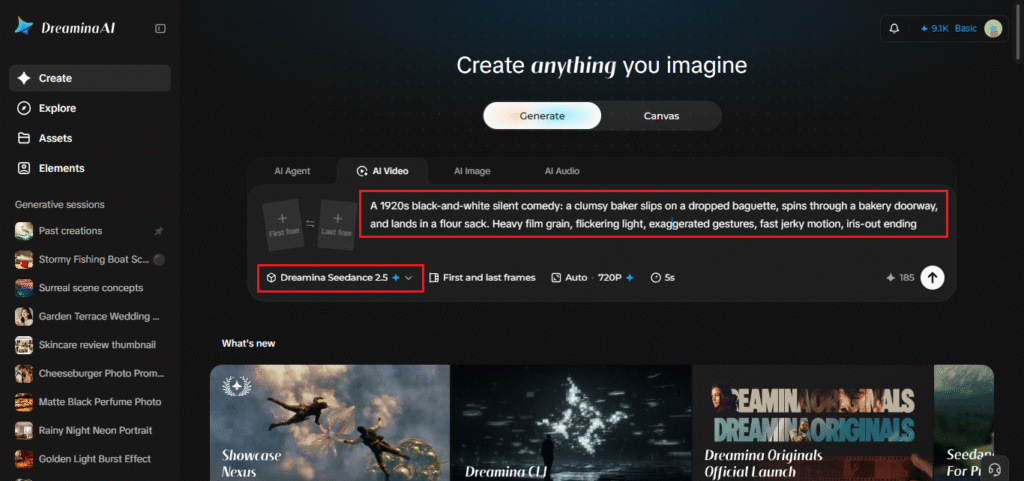
Sign in to Dreamina, open AI Video, and describe your scene in a text prompt. If you have a sketch or storyboard frame, add it with “Add reference image.” Try this for a 30-second video: “A 1920s black-and-white silent comedy: a clumsy baker slips on a dropped baguette, spins through a bakery doorway, and lands in a flour sack. Heavy film grain, flickering light, exaggerated gestures, fast jerky motion, iris-out ending.” Keep the prompt focused on one gag rather than several.
Step 2: Generate your video
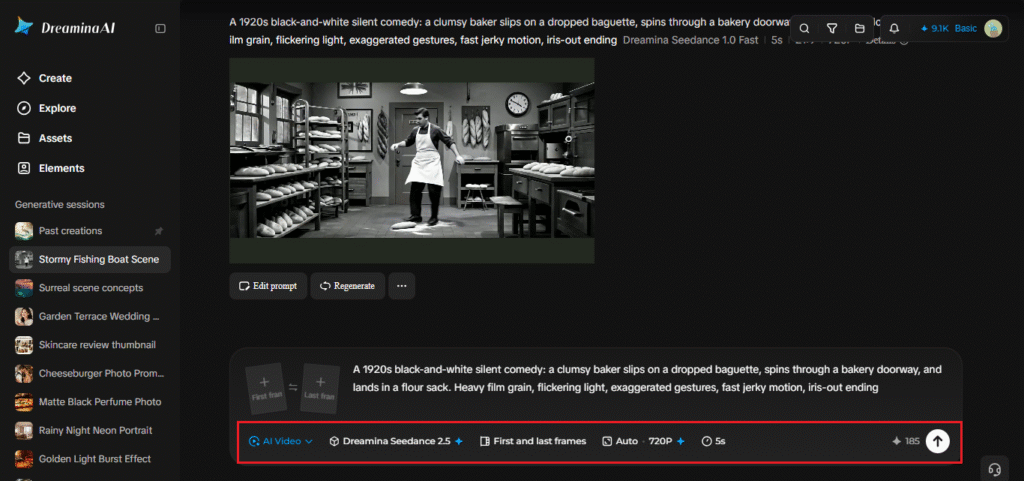
Select Seedance 2.5, decide how long the clip should be, and choose 16:9 for YouTube or 9:16 for TikTok. Click Dreamina’s icon and give it a minute. A wide frame suits a chase scene, while vertical works for a quick social gag.
Step 3: Enhance and export
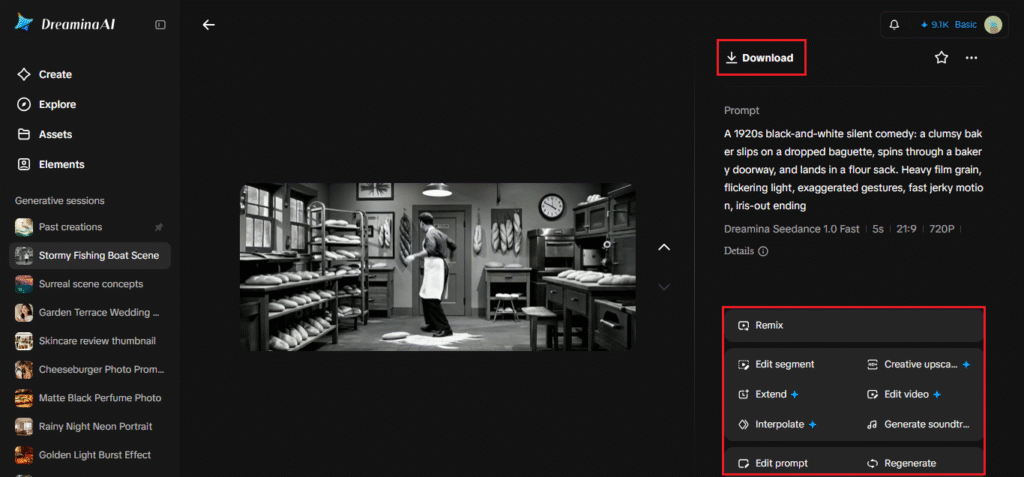
Run Upscale for a sharper picture and Generate soundtrack for a period-style score. Then export the video and share it. If the film look feels too clean, regenerate with “heavier grain” in the prompt.
What Seedance 2.5 does for period storytelling
Recreating a century-old look takes more than a filter, so a few Seedance 2.5 abilities come in handy.
Up to 50 pieces of reference material
The model can take text, images, video, and audio all at once, up to 50 items in total. That means a storyboard, a few costume references, and a piano track can all go into one brief. One brief instead of a dozen separate attempts saves a lot of time.
Fixing anachronisms in place
Region-level editing lets you remove things that don’t belong, like a modern watch or a pair of sunglasses, without redoing the whole clip. It’s a quick fix when an otherwise perfect take has one wrong detail.
A new camera angle after the fact
Spatial perspective changes let you shift the viewpoint on an existing shot while the model fills in the missing detail. It’s handy for turning a flat shot into something more dramatic, like a low angle on a villain’s entrance.
Writing a scene the way a 1920s director would
Think in slapstick beats: a setup, a mishap, a reaction. “A clumsy baker slips on a dropped baguette and lands in a flour sack” tells the model a complete little story. Name the setting, describe the character in a few words, and give it one clear gag. Silent films ran on visual jokes, so the more physical your idea, the better it translates. Keep the plot to a single sentence; the camera does the rest. Reactions matter just as much as the gag. A shocked stare at the camera is classic silent-era comedy, so ask for it directly.
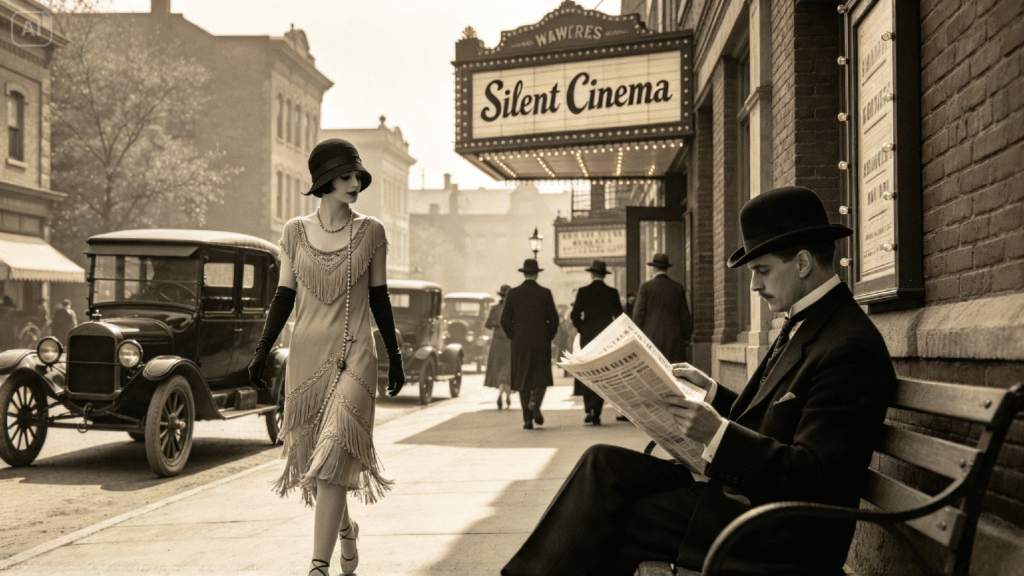
Sound without dialogue
A silent film was never really silent. Cinemas had live pianists or small orchestras. Use Generate soundtrack for a jaunty piano or ragtime-style track, and consider adding title cards in an editor later, since Seedance 2.5 keeps random subtitles out of base clips. Those cards can carry a line of dialogue or a punchline. Silence has a place too. A brief pause before the punchline can make it land harder.
Shot ideas to start with
Not sure where to begin? Try a chase through a market, a magician whose trick backfires, a love letter blowing down a street, or a nervous diner trying to eat soup at a wobbly table. Each one has a clear action and a visual punchline, which is what silent comedy and melodrama run on. Start with one character and one location before you build anything bigger. Once one scene works, copy its structure and swap the setting for a fresh story.
Crank it up
Silent film style is surprisingly easy to describe, and that makes it a great fit for Dreamina and Seedance 2.5. A few well-chosen details, a clear gag, and a little piano music can carry a scene a long way. Grab one of those ideas, write your prompt, and see what the 1920s would have thought of AI. Don’t be surprised if you laugh at your own first result.