
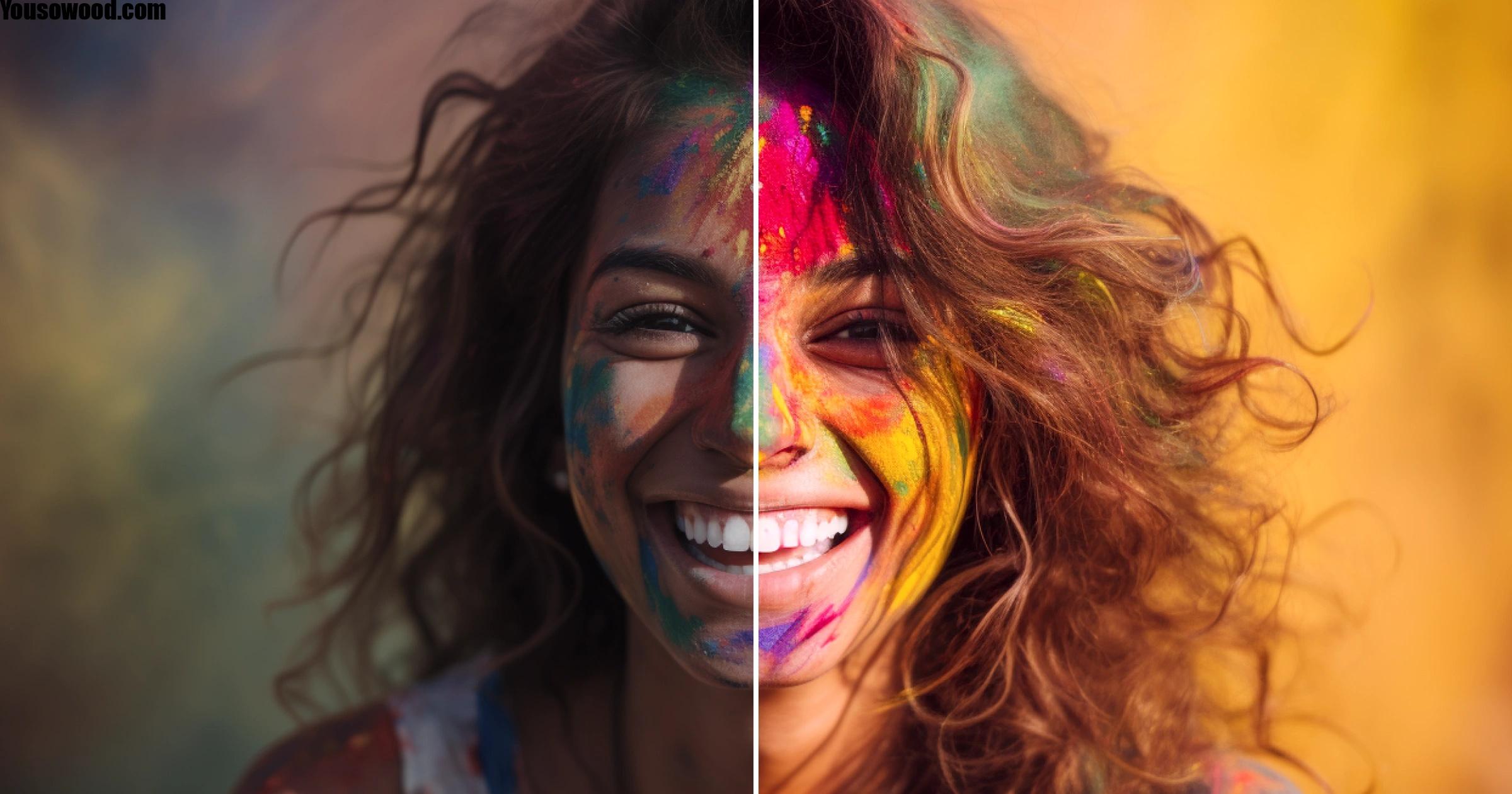
Low-quality photos don’t have to stay unusable. A good AI image enhancer can transform them with just one click – increasing image size up to 4x the original, upscaling to 4K and beyond, and removing noise from photos taken in difficult conditions.
Modern AI enhancement goes well beyond basic touch-ups, too. Today’s tools cover everything from expanding image boundaries with uncrop AI, to making precise adjustments through an AI image editor with prompt, to recovering face details, fixing blur, and improving colors and lighting. Professional-grade photo editing, in other words, is now accessible to pretty much everyone. In this guide, we’ll walk through how AI image enhancement actually works, what features are available, and how to get the best results from these tools.
Understanding AI Image Enhancement Technology
AI image enhancement applies artificial intelligence to automate editing tasks that once required a lot of manual work. Instead of adjusting exposure by hand, correcting colors, or removing noise pixel by pixel, AI algorithms analyze your photo and apply intelligent corrections based on patterns learned from millions of images.
The technology relies on machine learning – specifically convolutional neural networks (CNNs) – to understand the visual elements in your photos. These networks process images through multiple layers, identifying patterns in color saturation, light balance, and other elements to figure out the best adjustments. The AI can recognize whether it’s looking at a sky, a face, or a landscape, and then apply enhancements tailored to each of those elements specifically.
Most AI tools are powered by two core enhancement types: super-resolution and denoising. Super-resolution increases image resolution by intelligently predicting and adding pixels, while denoising removes unwanted grain without destroying sharpness. Both use the same underlying technology but apply it differently depending on what your photo actually needs.
What also sets AI apart is consistency. The system evaluates each image against the same quality standards, which means uniform results whether you’re editing ten photos or ten thousand. And because these algorithms keep learning with each image processed, they tend to get more accurate over time.
Transform Photos with Advanced AI Features
Modern AI photo enhancement tools pack a lot more than simple quality fixes. Background removal, for instance, automatically detects subjects and clears out backgrounds – useful for profile photos, product shots, and anything where a clean cut is needed. The detection works on people, animals, and objects, and handles formats like JPG, PNG, HEIC, and HEIF without any fuss.
Generative expand – or uncrop – lets you push image boundaries outward by dragging beyond the original frame. You can adjust aspect ratios, add space for text overlays, or convert a portrait shot into landscape format without losing the important parts. The AI fills the new space with generated content that blends naturally with what’s already there.
Object manipulation works in both directions. You can add props, swap backgrounds, or bring in creative details using text prompts – or remove things like photobombers, power lines, and other distractions. Face swap AI lets you replace faces in photos with just a few clicks, which is handy for fixing blur or closed eyes in group shots where a reshoot isn’t an option.
Color and lighting corrections can run automatically or through manual adjustments. Underexposed or overexposed photos can be fixed by tweaking brightness, contrast, and white balance. You can create golden hour effects, dramatic lighting, or soft ambient moods – without needing complex software to do it. The prompt-based editing feature lets you describe what you want in plain language: “remove power lines from sky” or “add warm sunlight” both work just as well as manually hunting for the right slider.
Getting Professional Results from AI Image Enhancers
Getting strong results from an AI photo enhancer requires a bit more than just uploading a photo and hitting enhance. The real value comes from training the system to replicate your editing style. Upload a catalog of images you’ve already edited manually – around 3,000 images tends to work well. The AI analyzes the metadata and slider positions to understand your preferences for white balance, exposure, color mix, and so on. This builds a Personal AI Profile that edits consistently the way you would.
That consistency becomes a real asset when you’re handling large volumes of work. Whether you’re editing 50 images or 5,000, the output stays uniform – no fatigue, no schedule pressure, no gradual drift in style. Clients know what to expect, your galleries stay cohesive, and turnaround times become much more predictable.
Before running automated edits, it’s worth setting your parameters carefully. Think about grouping strictness for duplicates, whether sharpness or expression takes priority, and sensitivity levels. After the AI runs, review the results – check rejected images for artistic motion blur that might have been flagged incorrectly. Then re-upload your final edits so the system can learn from any adjustments you made. It improves with each project and adapts as your style evolves. Features like face swap can fix closed eyes in group shots during review, while prompt-based editing and uncrop handle the more specific creative adjustments that automated passes might miss.
Conclusion
AI image enhancement has genuinely changed what’s possible with low-quality photos. These tools make professional-grade editing accessible without deep technical knowledge or expensive software – and the results are hard to argue with, whether you’re recovering details from a blurry shot or expanding a composition with uncrop AI.
The best place to start is by training your enhancer with your existing work. The system will learn your preferences and deliver consistent results across every project from there.